Managing time is no longer about writing endless to-do lists. In today’s distraction-heavy world, productivity comes from intentional planning—and that’s where Time Boxing Notion Templates shine.
If you want a simple system to plan your day with clarity and stay focused without feeling overwhelmed, this Time Boxing Notion Template can help.
Instead of reacting to tasks all day, time boxing helps you assign a fixed time slot to every important activity, ensuring deep focus, clarity, and consistent progress. When combined with Notion, this system becomes a powerful daily operating system for creators, professionals, students, and entrepreneurs.
In this blog, you’ll learn what time boxing is, why it works, and how a Time Boxing Notion Template can completely transform the way you plan your day.
What Is Time Boxing?
Time boxing is a productivity method where you allocate a specific block of time to a task and commit to working only on that task during that period.
Instead of: “Work on YouTube video today”
You plan:
- 10:00–11:30 AM → Script YouTube video
- 4:00–5:00 PM → Video editing
This approach:
- Reduces decision fatigue
- Improves focus
- Prevents overworking
- Makes progress measurable
Time boxing is especially powerful for people juggling multiple roles, side hustles, content creation, or learning new skills.
Why Use a Time Boxing Notion Templates?
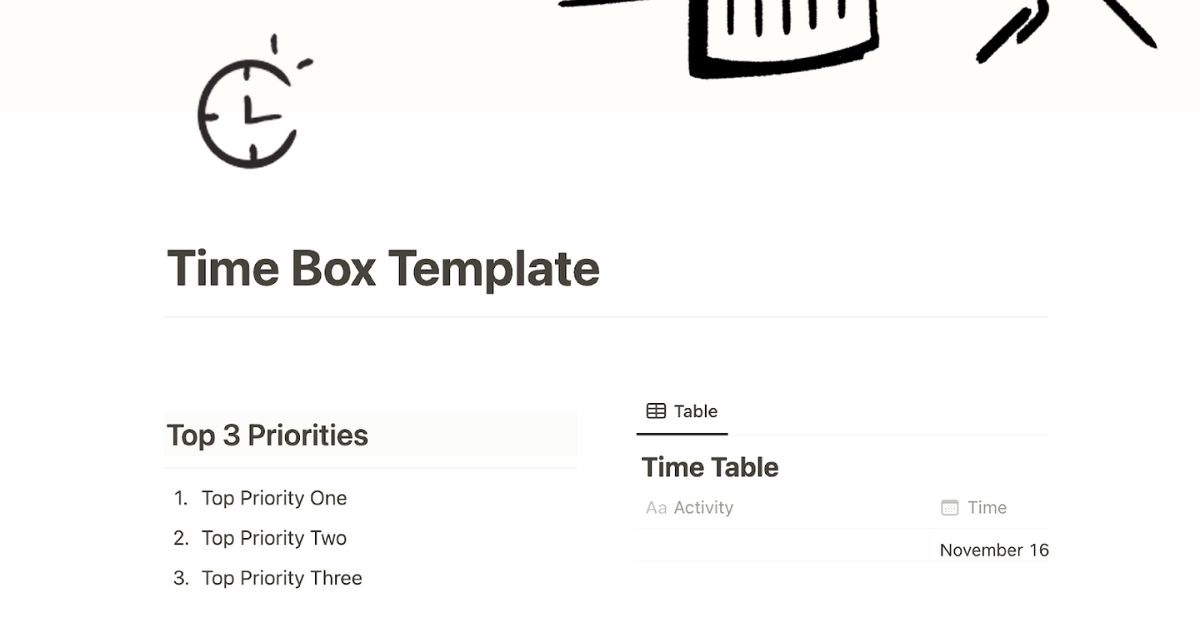
Notion gives you flexibility, but without structure, it can become overwhelming. A Time Boxing Notion Template provides a ready-made system so you can focus on execution—not setup.
Key Benefits
- Clear daily priorities
- Visual time blocks for focus
- Built-in task tracking
- Progress visibility
- Stress-free planning
Instead of switching between planners, apps, and notes, everything lives in one clean dashboard
How a Time Boxing Notion Template Works
A well-designed time boxing template usually includes:
1. Daily Time Blocks
Your day is divided into structured blocks like:
- Deep Work
- Learning
- Meetings
- Content Creation
- Personal Tasks
- Breaks
Each block has:
- Start time
- End time
- Assigned task
This forces realistic planning and prevents multitasking.
2. Task Status System
Tasks move through clear stages:
- To Do
- In Progress
- Done
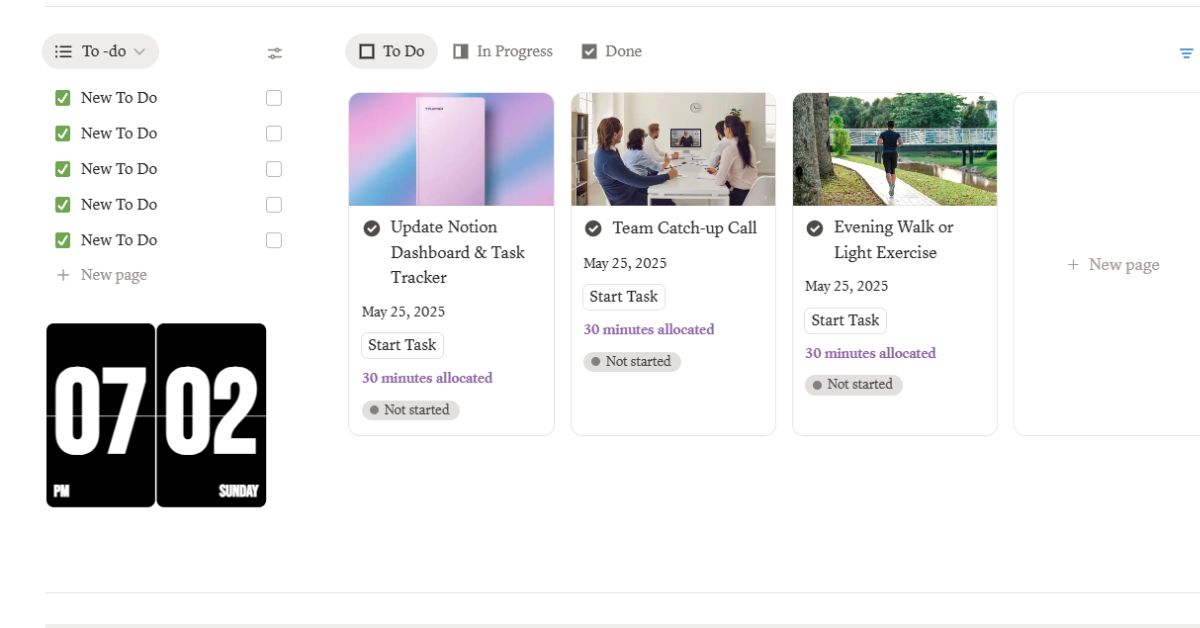
This simple workflow creates a sense of momentum and completion, which is essential for long-term consistency.
3. Priority & Focus Indicators
Many templates include:
- High / Medium / Low priority
- Focus level
- Energy alignment
This helps you schedule high-focus work during peak energy hours.
4. Daily Review Section
At the end of the day, you can:
- Review completed blocks
- Identify distractions
- Adjust tomorrow’s plan
Who Should Use a Time Boxing Notion Template?
A Time Boxing Notion Template is ideal for:
- Content creators & YouTubers
- Freelancers & remote workers
- Students & self-learners
- Productivity enthusiasts
- Entrepreneurs & solopreneurs
Time Boxing vs To-Do Lists (Big Difference)
To-Do List | Time Boxing |
Task-focused | Time-focused |
Endless items | Realistic limits |
Easy to procrastinate | Forces action |
No context | Clear schedule |
How to Use a Time Boxing Notion Template (Step-by-Step)
Step 1: List Your Daily Tasks
Write everything you want to accomplish today—no filtering yet.
Step 2: Assign Time Blocks
Drag each task into a specific time slot based on:
- Priority
- Energy level
- Estimated duration
Step 3: Commit to the Block
When a block starts:
- Close distractions
- Focus only on that task
- Stop when time ends (even if unfinished)
Step 4: Review & Improve
At night, review what worked and optimize tomorrow’s blocks.
Why Time Boxing Works So Well in Notion
Notion allows:
- Custom views (board, list, calendar)
- Progress tracking
- Visual clarity
- Easy duplication for daily use
A Time Boxing Notion Template becomes your personal productivity OS, not just a planner.
Common Mistakes to Avoid
- Overloading time blocks
- Not scheduling breaks
- Ignoring energy levels
- Planning without review
Advanced Tips to Maximize Results
- Schedule Deep Work Blocks for Creative Tasks
- Batch Similar Tasks to Save Mental Energy
- Add Buffer Blocks for the Unexpected
- Track Distractions and Optimize Your Focus
- Bonus Tip: Align Tasks With Your Energy Levels
Final Thoughts
A Time Boxing Notion Template is more than a planner—it’s a mindset shift. It helps you move from busy to intentional, from reactive to in control.
If you want clarity, focus, and consistent progress without burnout, time boxing is one of the most effective systems you can adopt today.
Frequently Asked Questions (FAQs)
What is the best Time Boxing Notion Template?
The best template is one that balances structure and flexibility, allowing you to plan realistically without feeling restricted.
Is time boxing better than time blocking?
Time boxing adds strict limits, while time blocking is more flexible. Time boxing works better for focus and discipline.
Can beginners use time boxing in Notion?
Yes. A simple Time Boxing Notion Template is beginner-friendly and easy to adapt.
How many time blocks should a day have?
Usually 6–10 blocks depending on your schedule, energy, and workload.
Is time boxing good for creators and YouTubers?
Absolutely. It’s one of the best systems for scripting, editing, learning, and publishing consistently.
Is time boxing good for creators and YouTubers?
Absolutely. It’s one of the best systems for scripting, editing, learning, and publishing consistently.